Role Based Sessions - Priority and Security
| Note: | A role can only be used on one device at any time. |
If another user/device wants to pick a role for an intercom session while it is already in use, the following configuration options are available in the Roles screen in EHX:
-
Default setup. A role is not available to another user if the role is already in use. In this case, the role is removed from the list of selectable roles. No configuration is necessary.
-
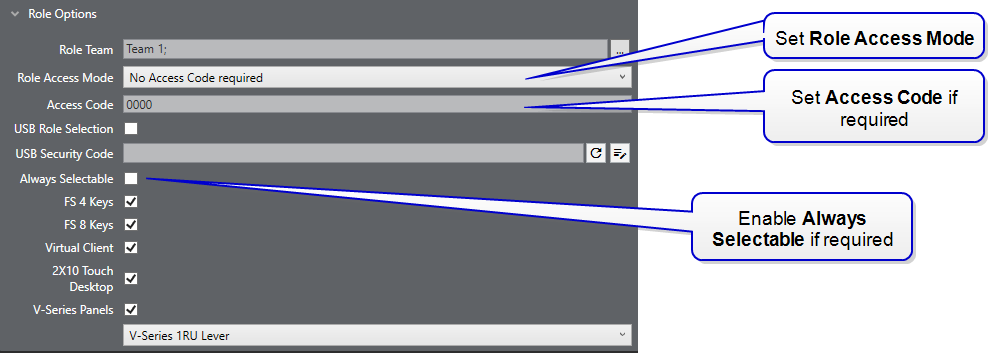
The role can be selected by a new user/a different device if there is an existing intercom session. To allow this, in EHX naviagate to Matrix > Configuration > Roles > [select role] Role Options and enable Always Selectable. When you have done this, the existing role session is automatically ended on the first device when a second device selects that role. The first user will receive a message telling them which device ended their session and is now using the role.
-
Access Code. A user can select a role, ending an existing intercom session only if they have the access code. In this case, Always Selectable is enabled and Role Options > Role Access Code >Access Code required or Access Code when in use is selected.
-
Access Code can be used for security on any role (not with USB login).
| Note: | You can end intercom sessions on a single device or on all devices in the Roles screen in EHX. |